
Superheroes
1 file
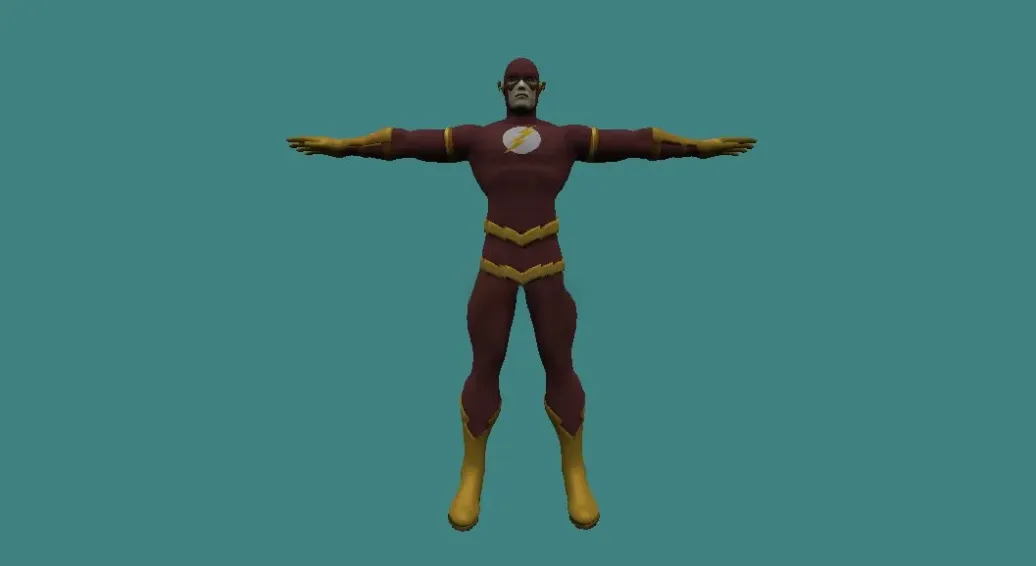
Superhero models for Counter-Strike 1.6 with HD textures, animated skins, and ready-to-use character packs.
FAQ
How to install superhero player models in CS 1.6?
To install a superhero player model, place the model folder and its .mdl file into cstrike/models/player. The folder name and the .mdl file name must match exactly. For example, if the model is hulk, create a folder hulk inside cstrike/models/player and put hulk.mdl inside it. Always back up the original files before replacing them.
Where do I put superhero player model files in Counter-Strike 1.6?
Superhero player model files go into cstrike/models/player. If you are replacing a default model, place the files in the existing folder for that model and overwrite the original .mdl file. In localized versions, the folder may be cstrike_russian, which takes priority. Make sure the folder and file names are identical.
How to select a superhero player model in CS 1.6?
Selection depends on the server. In standard CS 1.6, you cannot freely choose a custom player model; models are assigned by the server. If you are playing on a server with a superhero mod, use its menu or console commands to select a model. For offline play, you can replace the default model files for a team, and the game will use them automatically.
Superhero player model not showing up in CS 1.6 - how to fix?
Check that the model folder and .mdl file names match exactly and are placed in cstrike/models/player. Ensure you are using the correct game folder (cstrike or cstrike_russian). If playing online, the server may override your model or kick you for file consistency. Verify the model is compatible with CS 1.6, not Source.
Can I use superhero player models on CS 1.6 online servers?
Custom player models are client-side, but most online servers enforce consistency and will replace your model with the server's defaults or kick you for mismatched files. Some servers allow custom models if they have plugins. You can use them freely on your own server or on servers that permit custom content.
How to uninstall or revert to default player models in CS 1.6?
Delete the custom model folder from cstrike/models/player and restore the original files from your backup. If you did not back up, use Steam's 'Verify integrity of game files' to restore the default models. This will remove all custom player models and return the game to its original state.
Do superhero player models affect hitboxes in CS 1.6?
Custom player models can affect hitboxes if their skeleton is not aligned with the default model. This can cause hit detection issues. Many superhero models are optimized to match default hitboxes, but others may not be. On competitive servers, using models with different hitboxes may be considered cheating or unfair.