
pashaBiceps.cfg Config for CS 1.6


Description
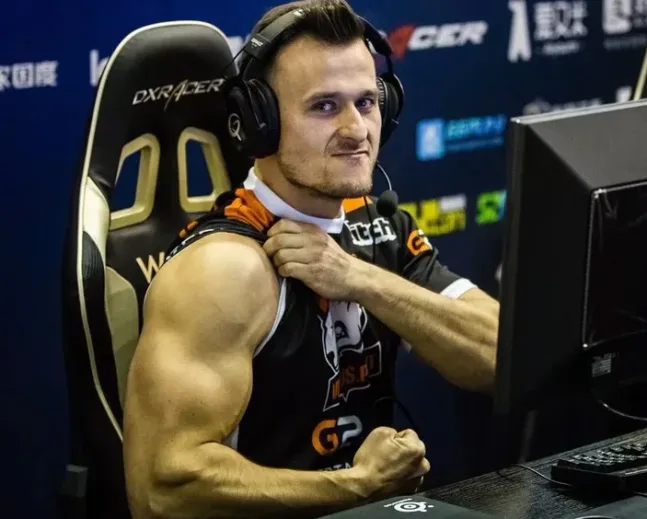
A configuration file (pashabiceps.cfg) from Jarosław "pashaBiceps" Jarząbkowski, a Polish Counter-Strike 1.6 player who played for Pentagram G-Shock and Frag eXecutors. It contains his performance settings: network rate values, ex_interp 0.01 and cl_updaterate 100, and a set of aliases for buying and weapon switching. It also includes set_master enable to prevent automatic redirects to other servers.
The archive contains a single file, pashabiceps CFG/pashabiceps.cfg, which goes into the cstrike folder. Load it from the console with "exec pashabiceps.cfg".
Archive contents
1 file, 4 KB uncompressed.
- pashabiceps CFG/pashabiceps.cfg 4 KB
Install in three steps
-
1
Download the archive. Use the button on the right, or the Yandex.Disk mirror if the main server is slow.
-
2
Extract it into the game folder. Use 7-Zip or WinRAR. A path without non-Latin characters works best.
-
3
Launch the game. If something doesn't work, mark it below - that is how we know the file needs an update.
Did it work for you?
No sign-up needed. You can pick more than one.
Similar files










New in this section
- Dosia.cfg Config for CS 1.6 - Mikhail Stolyarov Settings
- Archi.cfg Config for CS 1.6 - Oscar Torgersen Settings
- TaZ.cfg Config for Counter-Strike 1.6
- approx.cfg for CS 1.6 - Pro Player Handbook
- fRoD.cfg - Danny Montaner's Pro CS 1.6 Config
- SIXER.cfg Pro Player Config for Counter-Strike 1.6
- Zeus.cfg Pro Player Config for CS 1.6 by Danilo Teslenko
- cyx.cfg Config for CS 1.6 - Pro Settings from Antonio Danilovsky
- Virtus.pro CFG Config for CS 1.6 - Settings from Fin, Hell, Lex, Tal and Vofkin
- shaGuar.cfg Pro Config for CS 1.6 - Griffin's Setup