
GeT_RiGhT.cfg Config for CS 1.6

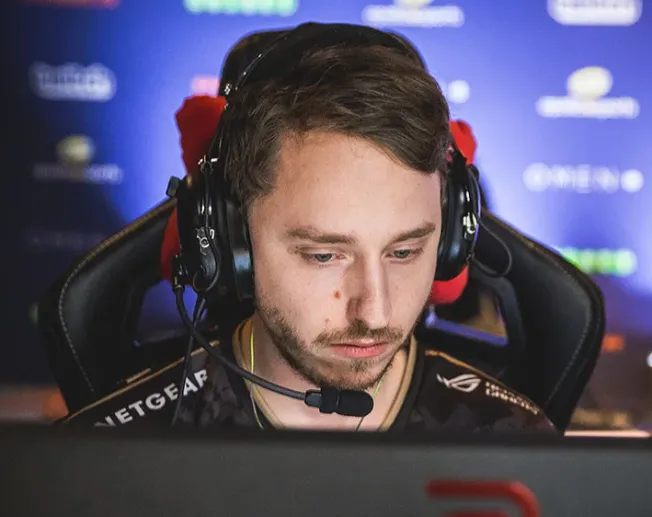

Description
A config file based on the settings of Christopher 'GeT_RiGhT' Alesund, a player known in Counter-Strike 1.6 for his AWPing with SK Gaming and Fnatic. The archive contains a single file, get_right.cfg, which goes into your cstrike folder.
- Rates: 100k rates for steady packet transmission.
- ex_interp: set to 0.01.
- Aliases: for example, alias +quickswitch 'slot3;slot2' for faster weapon swaps.
- FPS: removes unneeded cvars, turns off dynamic lights and matches cl_cmdrate to fps_max.
- Crosshair and sensitivity: default crosshair color 1 with adjusted alpha, sensitivity 2.5.
- Sound and HUD: volume 0.8, HUD adjusted for widescreen.
To load it, place the file in Valve/cstrike, open the console and enter exec GeT_RiGhT.cfg. Back up your current config.cfg first.
Archive contents
1 file, 3 KB uncompressed.
- get_right CFG/get_right.cfg 3 KB
Install in three steps
-
1
Download the archive. Use the button on the right, or the Yandex.Disk mirror if the main server is slow.
-
2
Extract it into the game folder. Use 7-Zip or WinRAR. A path without non-Latin characters works best.
-
3
Launch the game. If something doesn't work, mark it below - that is how we know the file needs an update.
Did it work for you?
No sign-up needed. You can pick more than one.
Similar files














New in this section
- nak.cfg Config for CS 1.6 - Pro Settings from Renato Nakano
- mJe.cfg Config for CS 1.6 - Pro Settings from Muhammad Aida
- markeloff.cfg Config for CS 1.6
- FalleN.cfg Config for Counter-Strike 1.6 from Gabriel Toledo
- Edward.cfg Config for CS 1.6 by Ioann Sukharev
- NEO.cfg for CS 1.6 – Config from Philip 'NEO' Kubski
- n0thing.cfg – Pro Config for CS 1.6 by Jordan 'n0thing' Gilbert
- Navi CFG Config for CS 1.6 - Pro Player Settings from Na'Vi Legends
- pashaBiceps.cfg Config for CS 1.6
- Dosia.cfg Config for CS 1.6 - Mikhail Stolyarov Settings